
Game Drop
Stop Waiting. Stop Paying. Start Sharing.
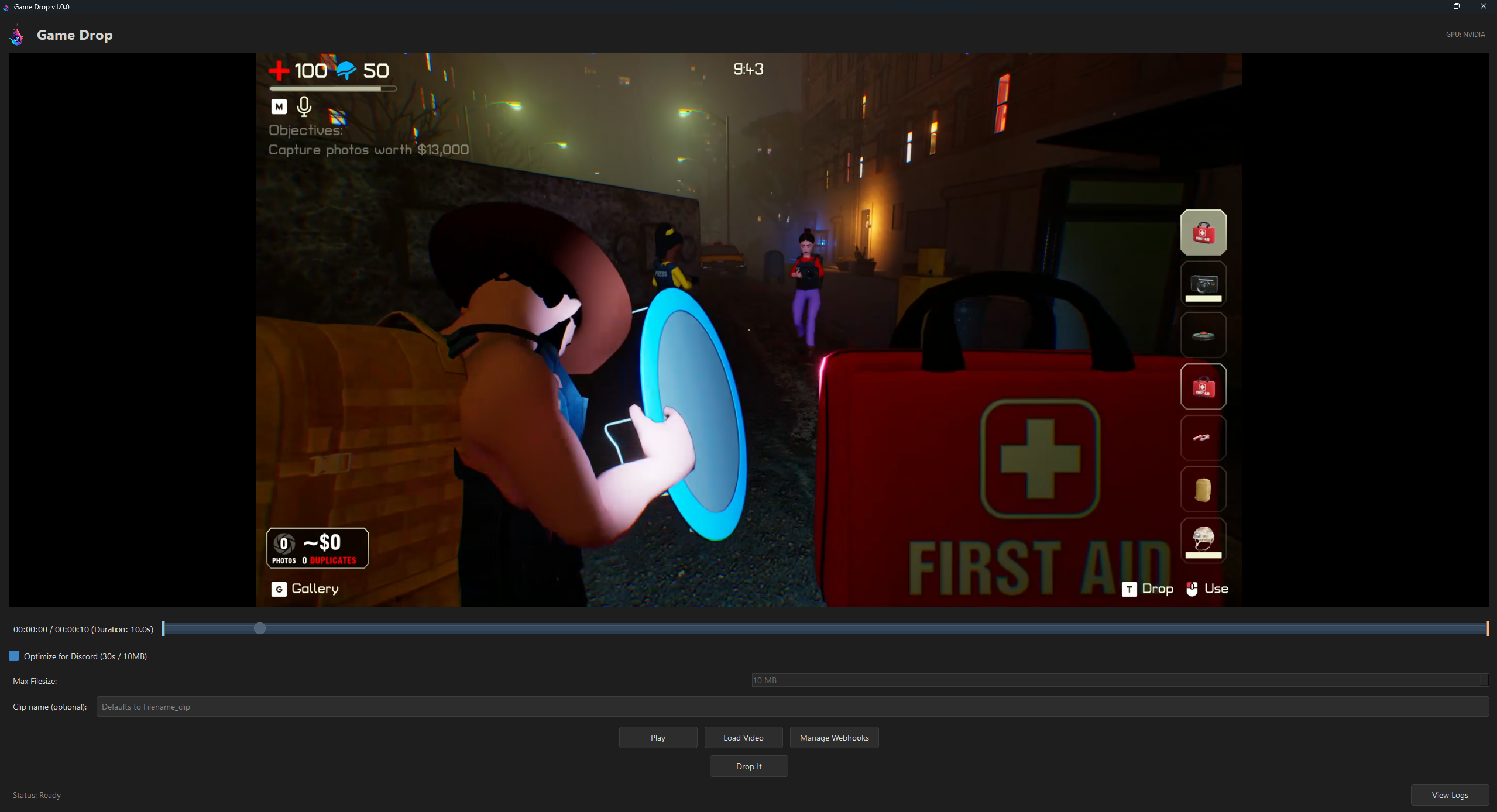
Game Drop is a high-performance, open-source tool built to solve the #1 frustration for gamers: The Discord File Limit. While web-based tools make you wait in queues, upload private data, and charge for "priority access," Game Drop uses the raw power of your own GPU to compress and send clips to Discord in seconds, locally, privately, and for free.
The Ultimate Benchmark: Local GPU vs. The Web
We tested Game Drop against the leading web alternative using a mid-range gaming rig (RTX 3080 Ti / Ryzen 7 7800X3D) to see who handles a high-quality 1440p gaming highlight better.
The Source Clip
Performance Comparison
By separating Transcode Time from Wait Time, we can see the true speed of local encoding. Even if you bypass the queue on a web service, local hardware delivers a faster and higher-quality result.
| Metric | Leading Web Tools (Cloud) | Game Drop (Local) | The Advantage |
|---|---|---|---|
| Wait Time (Queue) | ~2m 19s | 0s (Instant) | No waiting for servers |
| Transcode Time | ~1m 03s | 0m 29s | ~2.1x faster encoding |
| Total Time | ~3m 22s | 0m 29s | ~7x faster overall |
| Output FPS | 30 FPS | 60 FPS | Better viewing experience |
| Workflow | Manual Up/Down/Up | 1-Click Auto-Send | Zero friction |
| Cost | $$$ for "Priority" | Free | Use the hardware you own |
Why Choose Game Drop?
Instant Processing
No queues or uploading. Your 30-second transcode starts the moment you click "Drop It."
Preserve the Quality
Most tools cut frame rates to 30 FPS. Game Drop prioritizes GPU power to keep clips at 60 FPS.
Discord Integration
Skip the upload download process. Automatically send clips directly to your servers via Webhooks.
Privacy First
Your gaming highlights stay local. Processing happens 100% on your machine.
Smart Scaling
Targets Discord's 10MB limit by dynamically adjusting resolution only when strictly necessary.
Handheld Ready
Fully optimized for Steam Deck and Linux environments for the best mobile gaming support.
See It In Action
Download & Setup
Windows
- Download GameDrop_Setup.zip
- Run the installer and launch the app.
- If prompted for FFmpeg, click YES to automatically install it.
Linux & Steam Deck
- Download GameDrop_Setup.tar.gz
- Right-click the file, go to Properties -> Permissions and check "Allow executing file as program".
- Double click to launch.
How to Use
-
1
Load Video: Select your raw gameplay recording.
-
2
Select Range: Use the visual slider to select the start and end of your highlight.
-
3
Drop It: Start transcoding.
-
4
Share: Game Drop will automatically send the video to all checked webhooks.
Setting Up Discord Webhooks
1 In Discord
- Go to Server Settings > Integrations > Webhooks.
- Click New Webhook,name it, and select the target channel.
- Click Copy Webhook URL.
2 In Game Drop (Once logged in)
- Click Manage Webhooks, then,Add Webhook.
- Enter a nickname and paste your copied URL.
- Toggle the checkbox to enable sharing to that channel.
System Requirements
Minimum Requirements
Requires a 64-bit processor and operating system
- OS: Windows 10 or Modern Linux (Ubuntu, Arch, SteamOS)
- Processor: 64-bit Multi-core Processor
- Memory: 4 GB RAM
- Graphics: Integrated Graphics (NVIDIA NVENC, AMD AMF, or VA-API support recommended)
- Network: Broadband Internet connection to send data to Discord
- Storage: 500 MB available space
- Additional Notes: Software encoding (CPU-only) is supported but significantly slower without a supported GPU.
License & Disclaimers
Benchmarks reflect comparisons with popular web-based compression services as of January 2026.